Setup & admin
Provider and Admin: Who Can Do What
The two roles in a studio, exactly what an Admin can reach that a Provider cannot, and how to change someone's role.
Every person in your studio holds one of two roles: Provider or Admin. You choose it once, in the invite dialog, and it is easy to forget it exists until someone cannot find a page you told them to open.
The short version: a Provider can do almost everything an Admin can. The differences are narrow and deliberate — they cover money, the team roster, and bulk data.
The Difference, Precisely
A Provider has the same access as an Admin except for these eight things:
| A Provider cannot… | So they will not see… |
|---|---|
| Invite people to the studio | The Add staff button |
| View the invite list | Pending invites in the People table |
| Manage staff | The staff management area, including activating someone as bookable |
| Delete a client | The delete action on a client profile |
| View imports | The Data Import area |
| Run an import | Any import flow |
| Manage billing | The subscription, payment details and invoices |
| Log an inbound message manually | The Log inbound message action in Messages |
Everything else is shared. That is worth stating plainly because it surprises people:
- Providers see a client's full visit history, including visits with other staff.
- Providers read and reply to client conversations normally.
- Providers can see your SMS usage.
What a Provider Sees on the Calendar
This one has a setting, and it is on by default: Staff see only their own calendar, under Studio Configuration → Booking, in the Staff visibility section.
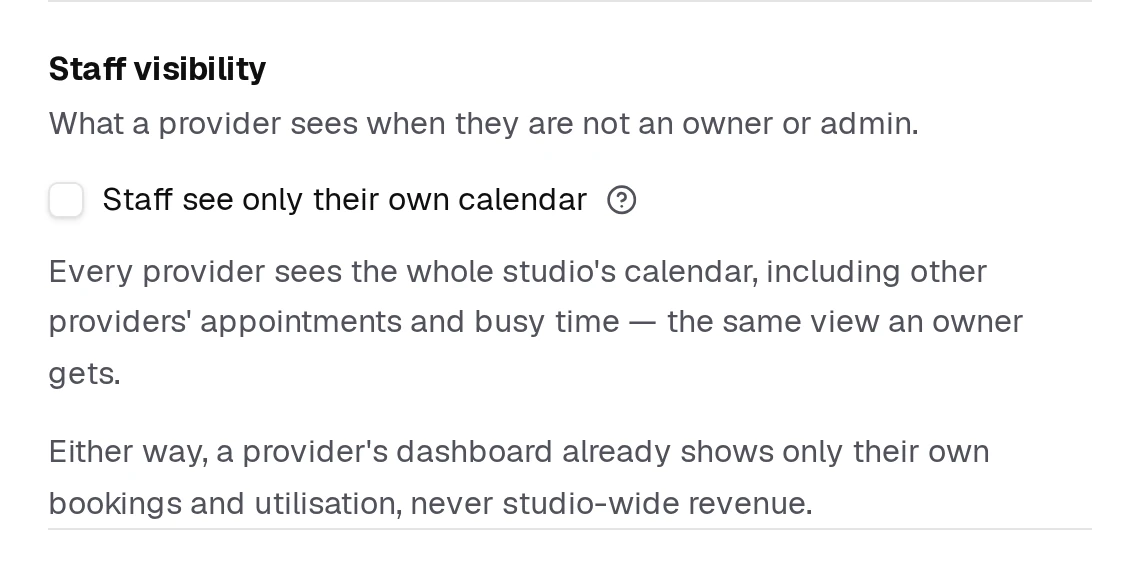
- On (the default) — a Provider sees only their own appointments, busy time and availability on the day, week and month views. Never other providers.
- Off — every Provider sees the whole studio's calendar, the same view an owner gets.
Owners, Admins and front desk always see the full calendar either way. And a Provider's dashboard only ever shows their own bookings and utilisation, never studio-wide revenue.
Choosing the Role
The role is set when you invite someone, in the Role dropdown of the Add staff dialog:
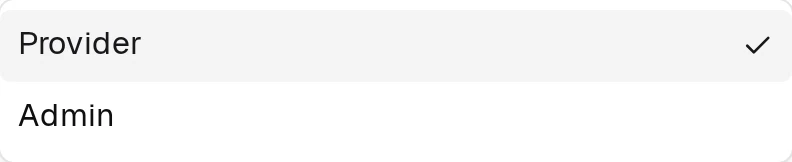
- Provider — can manage their own appointments and availability.
- Admin — has full access to studio settings, billing, and other staff.
The full invite walkthrough is in Creating and Activating a Staff Member.
Role Is Not the Same as Bookable
These two are separate, and mixing them up is the most common confusion here.
| What it controls | |
|---|---|
| Role (Provider / Admin) | What the person can see and change in the app |
| Active / Inactive | Whether the person can be booked by clients, and whether they cost you a seat |
An Admin can be inactive and unbookable. A Provider can be active and taking bookings all day. You set them in different places, and activation is the one that affects your bill — see Billing for Staff Activation.
Who Should Be an Admin?
Give Admin to anyone who needs to handle the money or the team — an owner, a manager, whoever runs your billing. Everyone else can be a Provider and will not notice a limitation in day-to-day work.
You need at least one Admin at all times; that is usually whoever created the studio.
Common Mistakes
- Assuming a Provider only sees their own bookings. They see the whole calendar and all client history.
- Making everyone an Admin "to be safe". Admin includes billing and the ability to remove teammates.
- Confusing role with activation. Changing someone's role does not make them bookable, and activating them does not give them Admin.